
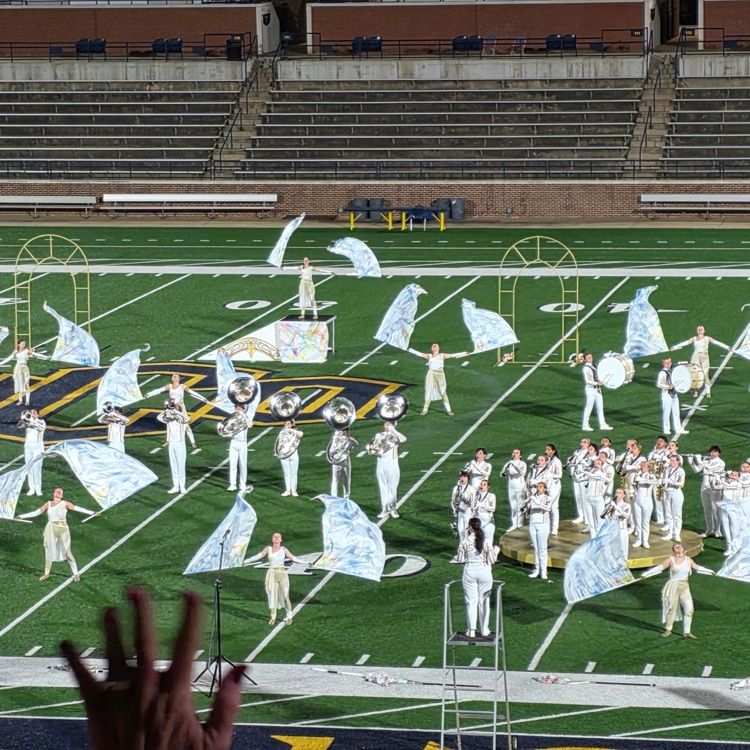
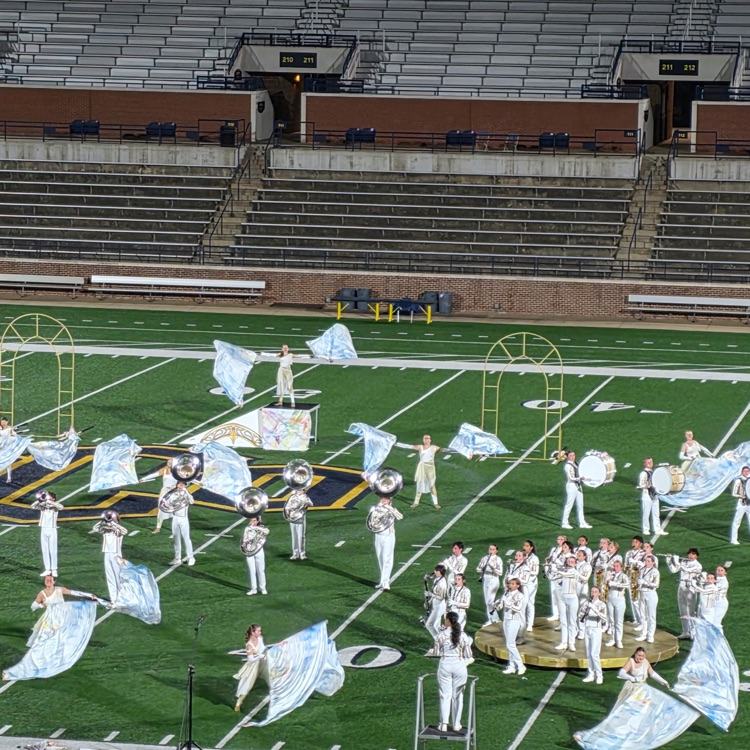
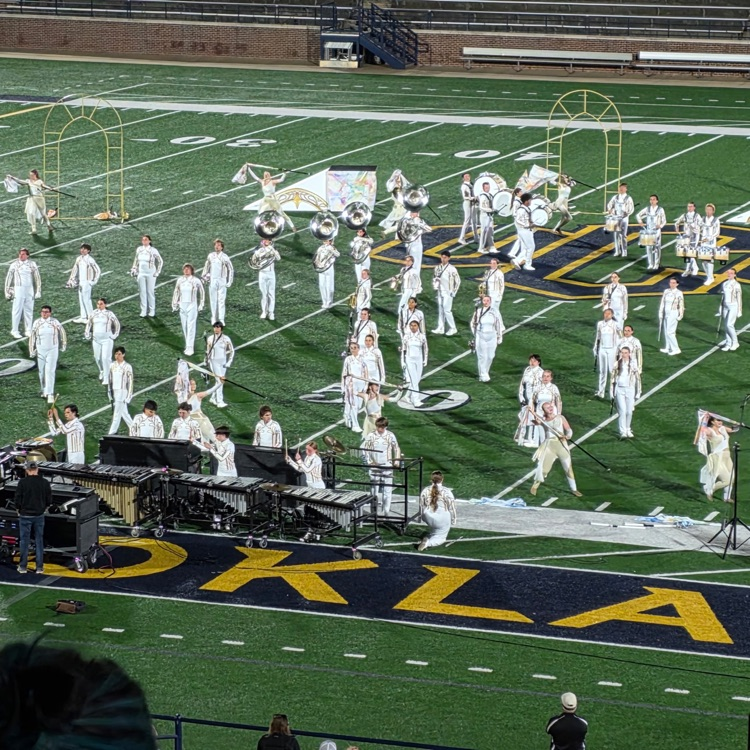
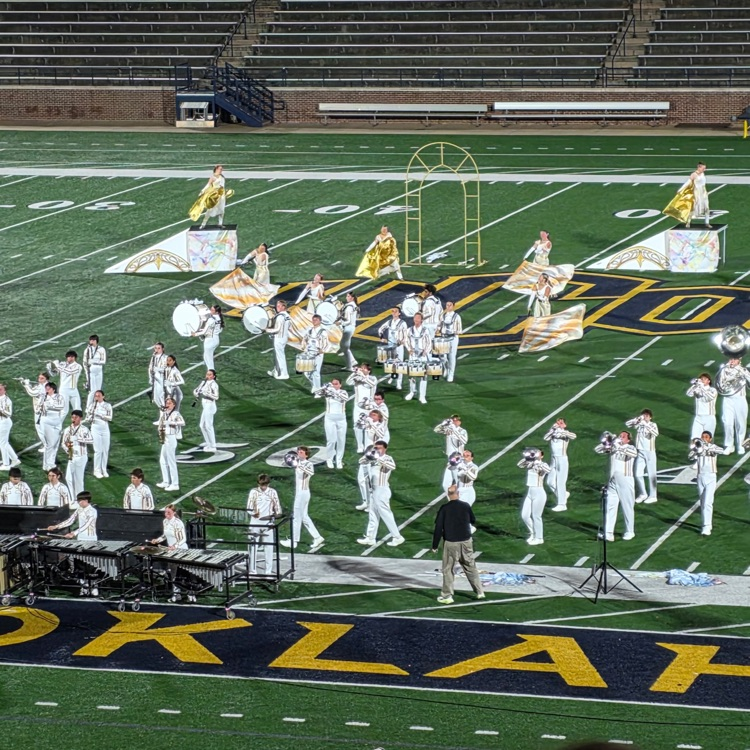
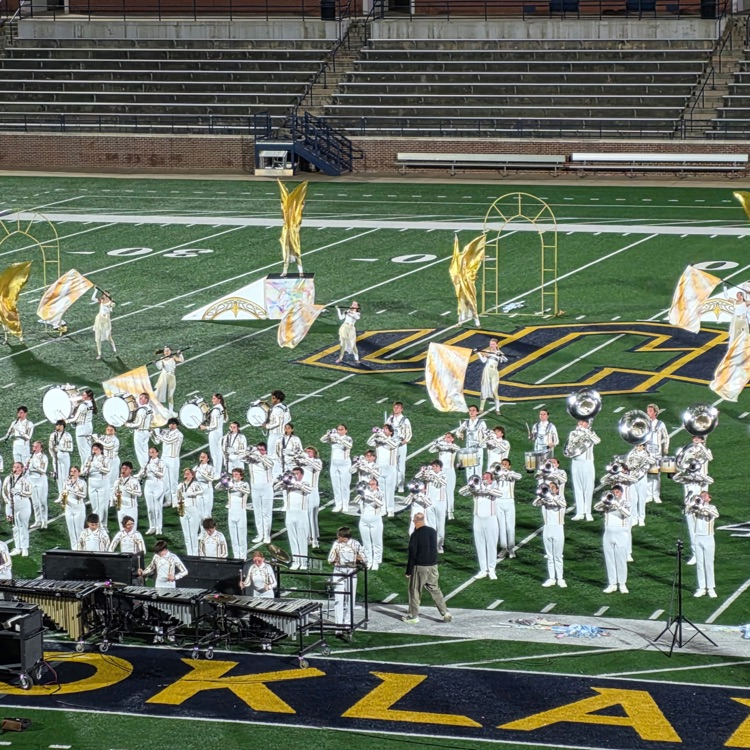
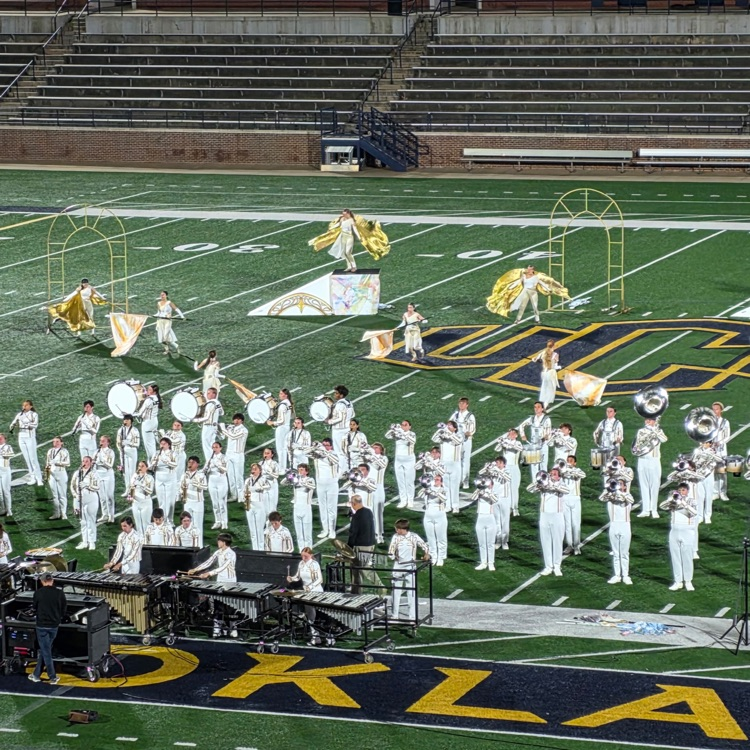
Tiger Pride Band brings another State Championship home to Cowtown!
Congratulations to these incredible musicians on the hard work, discipline, and dedication it took to bring the title back where it belongs. Coweta is proud of you.
#CowetaDNA
Good Luck to our Fast Tigers at Cross Country Regionals today!

Leaving a Legacy: Mrs. Ciarra Issac
At Central Elementary, we are fortunate to have outstanding educators who make a lasting impact on students, and Mrs. Ciarra Issac is certainly one of them.
As our speech-language pathologist, Mrs. Issac is truly the heartbeat of our school community. She works each day tirelessly, bringing passion, dedication, and energy to helping students find and strengthen their voices. Her commitment to student success goes far beyond the therapy room, as she continually finds creative and engaging ways to make learning meaningful and fun for every child she serves.
Mrs. Issac is also known for her incredible sense of humor and positive spirit, which bring joy to our hallways and brighten the days of students and staff alike. Whether she is planning a baby sprinkle, organizing a staff Christmas party, or simply offering encouragement to those around her, she is always finding ways to bring people together and lift others up.
Through her kindness, leadership, and unwavering dedication, Mrs. Issac does much more than teach communication skills. She helps build confidence, fosters meaningful connections, and creates an environment where students feel supported and empowered to succeed.
Thank you, Mrs. Issac, for the difference you make every day. Your impact reaches far beyond the classroom, and the legacy of confidence, kindness, and joy you are creating will be felt for generations to come.
#InwardOutwardUpward
At Central Elementary, we are fortunate to have outstanding educators who make a lasting impact on students, and Mrs. Ciarra Issac is certainly one of them.
As our speech-language pathologist, Mrs. Issac is truly the heartbeat of our school community. She works each day tirelessly, bringing passion, dedication, and energy to helping students find and strengthen their voices. Her commitment to student success goes far beyond the therapy room, as she continually finds creative and engaging ways to make learning meaningful and fun for every child she serves.
Mrs. Issac is also known for her incredible sense of humor and positive spirit, which bring joy to our hallways and brighten the days of students and staff alike. Whether she is planning a baby sprinkle, organizing a staff Christmas party, or simply offering encouragement to those around her, she is always finding ways to bring people together and lift others up.
Through her kindness, leadership, and unwavering dedication, Mrs. Issac does much more than teach communication skills. She helps build confidence, fosters meaningful connections, and creates an environment where students feel supported and empowered to succeed.
Thank you, Mrs. Issac, for the difference you make every day. Your impact reaches far beyond the classroom, and the legacy of confidence, kindness, and joy you are creating will be felt for generations to come.
#InwardOutwardUpward

Heads up, Tiger families & staff! PowerSchool will be offline for maintenance this Saturday, 10/24, from 8am to Noon. Parent Portal, Student Portal, and PowerTeacher won't be available during that time. Thanks for your patience. Go Tigers!
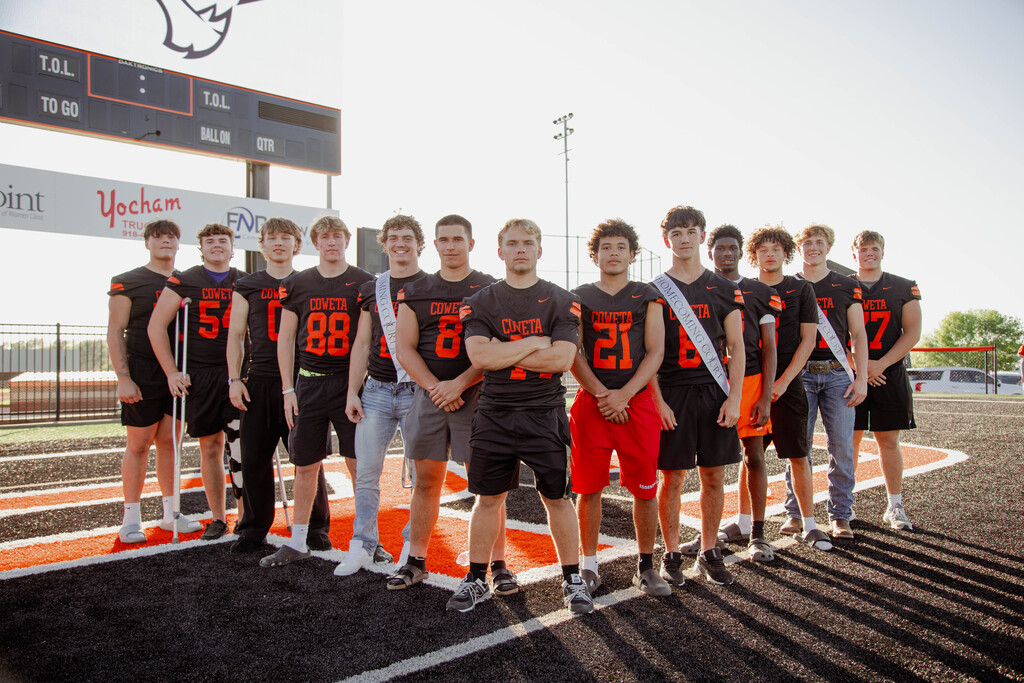
Senior Night! 🐅🏈🎺📣
Join us tonight as we celebrate our Football, Cheer, and Band during Senior Night!
Come out and help us honor these outstanding students for their dedication, leadership, and contributions to Coweta Schools. Let's pack the stands and show our seniors how much Tiger Nation appreciates them!
📍 Coweta High School
🕖 7:00 PM
🏈 Coweta vs. Rogers
This is our final regular-season home game, so let's show up and show out for our seniors!
#CowetaDNA
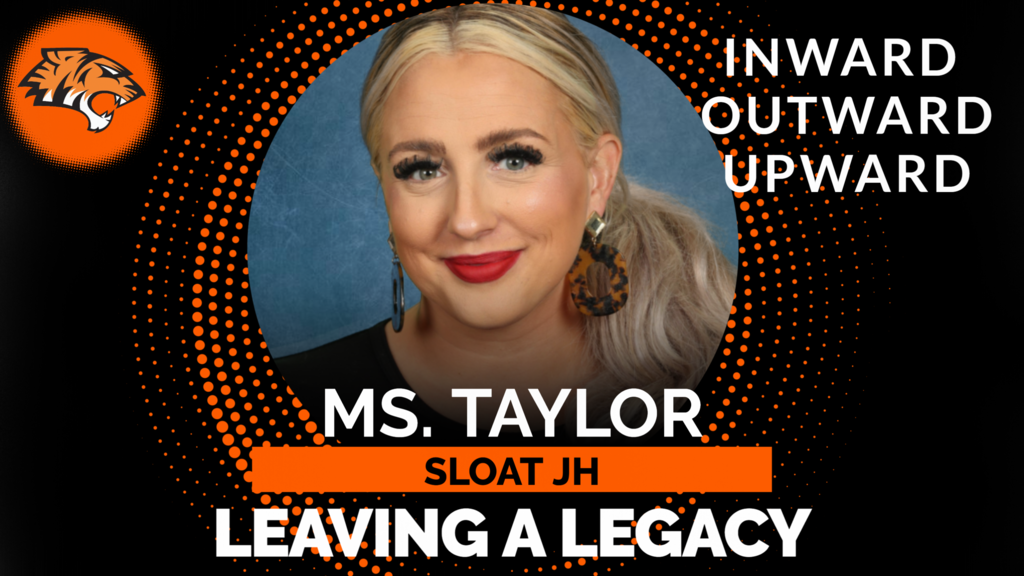
Leaving a Legacy: Ms. Rachel Taylor
At Sloat Junior High, Ms. Taylor exemplifies what it means to serve others with a generous heart and unwavering commitment. She is a true team player who consistently gives her time, energy, resources, and compassion to both students and staff. She goes above and beyond to ensure those around her feel supported, valued, and cared for, and her impact can be felt throughout our school community.
Ms. Taylor is deeply invested in her students, both academically and personally. She takes the time to build meaningful relationships, attends their activities and sporting events, and shows them that they matter far beyond the classroom. She is a passionate advocate for her students, working tirelessly to provide the support and opportunities they need to succeed. Whether it's purchasing supplies for students in need or finding ways to remove barriers to success, Ms. Taylor never hesitates to step up and help.
Her servant's heart extends to her colleagues as well. Ms. Taylor is always checking on others, offering encouragement, and finding thoughtful ways to brighten someone's day. Whether it's delivering a cup of coffee to a coworker, lending a listening ear, or offering assistance without being asked, she consistently demonstrates kindness and genuine care for those around her.
What makes Ms. Taylor truly special is that her generosity comes naturally. She gives freely of her time, energy, and resources without seeking recognition or praise. She quietly steps in wherever she is needed, simply because helping others is part of who she is.
Thank you, Ms. Taylor, for the incredible difference you make each day. Your compassion, selflessness, and dedication are leaving a legacy that will continue to impact students, staff, and the Sloat community for years to come.
#InwardOutwardUpward
At Sloat Junior High, Ms. Taylor exemplifies what it means to serve others with a generous heart and unwavering commitment. She is a true team player who consistently gives her time, energy, resources, and compassion to both students and staff. She goes above and beyond to ensure those around her feel supported, valued, and cared for, and her impact can be felt throughout our school community.
Ms. Taylor is deeply invested in her students, both academically and personally. She takes the time to build meaningful relationships, attends their activities and sporting events, and shows them that they matter far beyond the classroom. She is a passionate advocate for her students, working tirelessly to provide the support and opportunities they need to succeed. Whether it's purchasing supplies for students in need or finding ways to remove barriers to success, Ms. Taylor never hesitates to step up and help.
Her servant's heart extends to her colleagues as well. Ms. Taylor is always checking on others, offering encouragement, and finding thoughtful ways to brighten someone's day. Whether it's delivering a cup of coffee to a coworker, lending a listening ear, or offering assistance without being asked, she consistently demonstrates kindness and genuine care for those around her.
What makes Ms. Taylor truly special is that her generosity comes naturally. She gives freely of her time, energy, and resources without seeking recognition or praise. She quietly steps in wherever she is needed, simply because helping others is part of who she is.
Thank you, Ms. Taylor, for the incredible difference you make each day. Your compassion, selflessness, and dedication are leaving a legacy that will continue to impact students, staff, and the Sloat community for years to come.
#InwardOutwardUpward
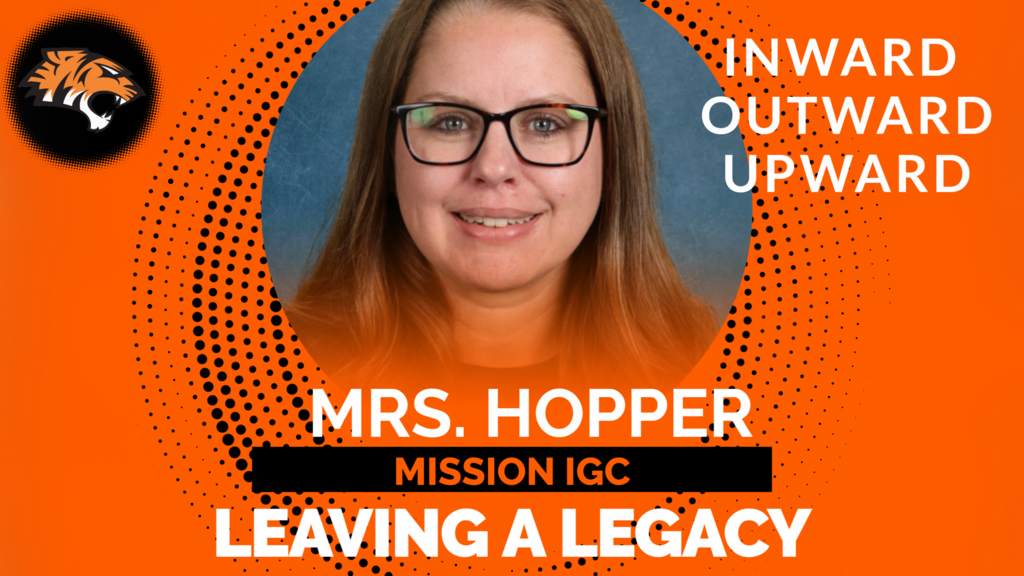
Leaving a Legacy: Mrs. Hopper
At Mission Intermediate Grade Center, Mrs. Hopper exemplifies what it means to serve others with dedication, humility, and a strong work ethic. Her commitment to students extends far beyond the classroom, as she consistently goes above and beyond to support their success and well-being.
Mrs. Hopper is a dedicated educator who continually seeks opportunities to grow and improve her craft, ensuring her students receive the very best instruction and support. Her passion for learning and willingness to embrace new ideas reflect her unwavering commitment to excellence in education.
In addition to her role as a teacher, Mrs. Hopper serves our school community as a bus driver, demonstrating her servant-hearted approach and willingness to do whatever is needed to support students and families. Her dedication, flexibility, and commitment to service make a meaningful difference each and every day.
Through her positive attitude, strong work ethic, and genuine care for others, Mrs. Hopper is making a lasting impact on the lives of her students and colleagues. Her influence reaches far beyond the classroom, helping to shape a culture of service, growth, and excellence at Mission IGC.
Thank you, Mrs. Hopper, for all you do. Your dedication to students and your commitment to serving others are truly leaving a legacy.
#InwardOutwardUpward
At Mission Intermediate Grade Center, Mrs. Hopper exemplifies what it means to serve others with dedication, humility, and a strong work ethic. Her commitment to students extends far beyond the classroom, as she consistently goes above and beyond to support their success and well-being.
Mrs. Hopper is a dedicated educator who continually seeks opportunities to grow and improve her craft, ensuring her students receive the very best instruction and support. Her passion for learning and willingness to embrace new ideas reflect her unwavering commitment to excellence in education.
In addition to her role as a teacher, Mrs. Hopper serves our school community as a bus driver, demonstrating her servant-hearted approach and willingness to do whatever is needed to support students and families. Her dedication, flexibility, and commitment to service make a meaningful difference each and every day.
Through her positive attitude, strong work ethic, and genuine care for others, Mrs. Hopper is making a lasting impact on the lives of her students and colleagues. Her influence reaches far beyond the classroom, helping to shape a culture of service, growth, and excellence at Mission IGC.
Thank you, Mrs. Hopper, for all you do. Your dedication to students and your commitment to serving others are truly leaving a legacy.
#InwardOutwardUpward
Construction Update!
The Entrance and Offices at Northwest Elementary are dried in and are closer to completion.
https://drive.google.com/file/d/1DOTTbfHF2vwXGoLUk4Of6F7JDdDnvIoz/view?usp=sharing
The Entrance and Offices at Northwest Elementary are dried in and are closer to completion.
https://drive.google.com/file/d/1DOTTbfHF2vwXGoLUk4Of6F7JDdDnvIoz/view?usp=sharing
Indian Education Committee Quarterly Meeting
The Coweta Public Schools Indian Education Committee (IEC) Quarterly Meeting will be held on Wednesday, October 21, at 6:00 p.m. in the Sloat Junior High School Commons.
We encourage all Native American parents and families to attend and become engaged in the many programs, services, and opportunities available through Indian Education. This is a great opportunity to stay informed, share your input, and help guide the future of our Indian Education program.
Committee elections will also take place during this meeting.
We look forward to seeing you there!
The Coweta Public Schools Indian Education Committee (IEC) Quarterly Meeting will be held on Wednesday, October 21, at 6:00 p.m. in the Sloat Junior High School Commons.
We encourage all Native American parents and families to attend and become engaged in the many programs, services, and opportunities available through Indian Education. This is a great opportunity to stay informed, share your input, and help guide the future of our Indian Education program.
Committee elections will also take place during this meeting.
We look forward to seeing you there!

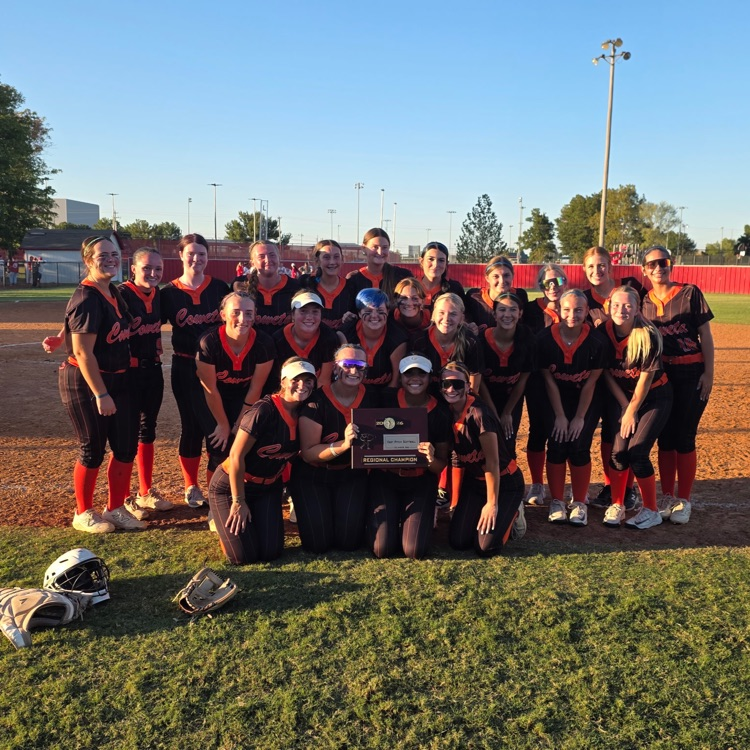
Tiger Softball onto State! #CowetaDNA #RegionalChamps
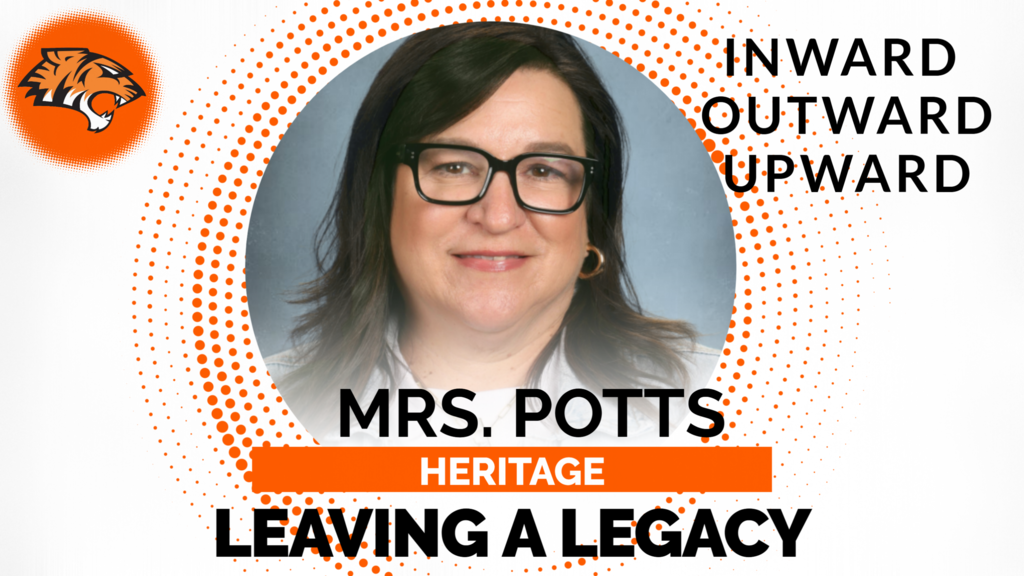
🍎 Leaving a Legacy Spotlight: Mrs. Potts | Heritage IGC
Mrs. Potts exemplifies what it means to Leave a Legacy at Coweta Public Schools. While she is an outstanding English teacher, her impact extends far beyond academics. Every day, she teaches valuable life lessons about character, kindness, responsibility, and making positive choices.
Mrs. Potts holds her students to high expectations because she genuinely believes in their potential and wants them to succeed, both in the classroom and in life. Her passion for teaching, deep knowledge of her subject, and unwavering dedication help students grow into confident learners and compassionate individuals.
The influence of a great teacher lasts a lifetime, and Mrs. Potts is leaving a lasting legacy through the lives she touches each day. Thank you, Mrs. Potts, for your commitment to shaping not only strong students, but also outstanding human beings! 🍎
#InwardOutwardUpward
Mrs. Potts exemplifies what it means to Leave a Legacy at Coweta Public Schools. While she is an outstanding English teacher, her impact extends far beyond academics. Every day, she teaches valuable life lessons about character, kindness, responsibility, and making positive choices.
Mrs. Potts holds her students to high expectations because she genuinely believes in their potential and wants them to succeed, both in the classroom and in life. Her passion for teaching, deep knowledge of her subject, and unwavering dedication help students grow into confident learners and compassionate individuals.
The influence of a great teacher lasts a lifetime, and Mrs. Potts is leaving a lasting legacy through the lives she touches each day. Thank you, Mrs. Potts, for your commitment to shaping not only strong students, but also outstanding human beings! 🍎
#InwardOutwardUpward
Happy National Coaches Day!!!
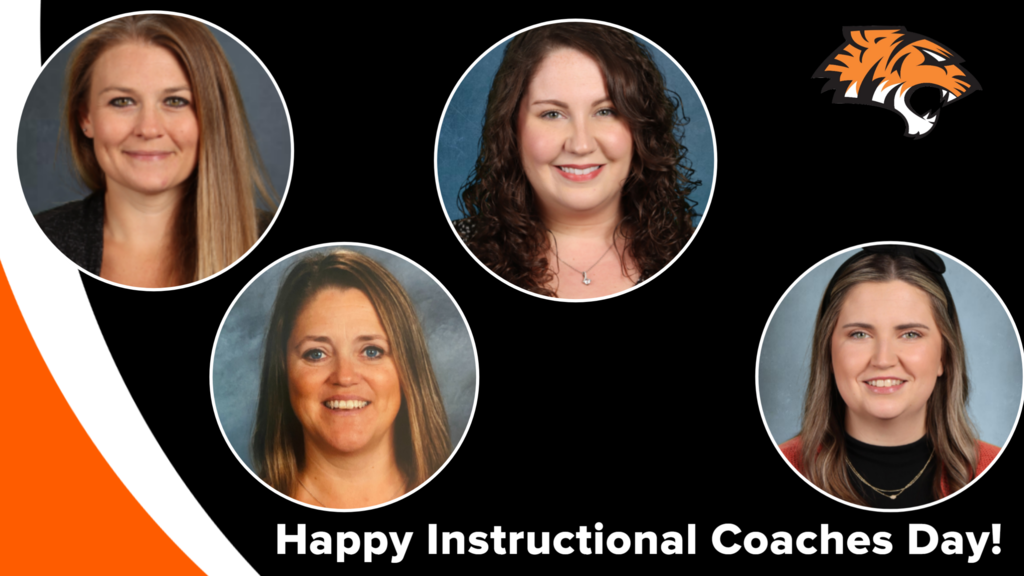
CPS is Blessed with the Best! From the field to the court to the classroom, Coweta Public Schools is proud to have incredible coaches who double as inspiring mentors.
A special shout-out to Mrs. Phillips, Ms. Sinkinson, Mrs. Swagerty, and Mrs. Hughes for the heart, hustle, and support they pour into our students and staff every day!
Your leadership makes a lasting impact—and we’re so grateful for all you do!
CPS is Blessed with the Best! From the field to the court to the classroom, Coweta Public Schools is proud to have incredible coaches who double as inspiring mentors.
A special shout-out to Mrs. Phillips, Ms. Sinkinson, Mrs. Swagerty, and Mrs. Hughes for the heart, hustle, and support they pour into our students and staff every day!
Your leadership makes a lasting impact—and we’re so grateful for all you do!
🧹✨ Celebrating National Custodian Day! ✨🧹
Today we proudly recognize and celebrate the incredible custodians who help make our schools shine every day!
While many of their contributions happen behind the scenes, their impact is seen and felt throughout our buildings. From creating clean, safe, and welcoming learning environments to responding to unexpected needs with a smile, our custodial teams play an essential role in the success of our schools.
Their hard work, dedication, and pride in their work help ensure that students and staff can focus on learning and growing each day. Whether it's early mornings, late evenings, or everything in between, they consistently go above and beyond to serve our school community.
Thank you to our outstanding custodians for all you do. Your commitment does not go unnoticed, and we are grateful for the difference you make every single day!
Happy National Custodian Day!
Today we proudly recognize and celebrate the incredible custodians who help make our schools shine every day!
While many of their contributions happen behind the scenes, their impact is seen and felt throughout our buildings. From creating clean, safe, and welcoming learning environments to responding to unexpected needs with a smile, our custodial teams play an essential role in the success of our schools.
Their hard work, dedication, and pride in their work help ensure that students and staff can focus on learning and growing each day. Whether it's early mornings, late evenings, or everything in between, they consistently go above and beyond to serve our school community.
Thank you to our outstanding custodians for all you do. Your commitment does not go unnoticed, and we are grateful for the difference you make every single day!
Happy National Custodian Day!



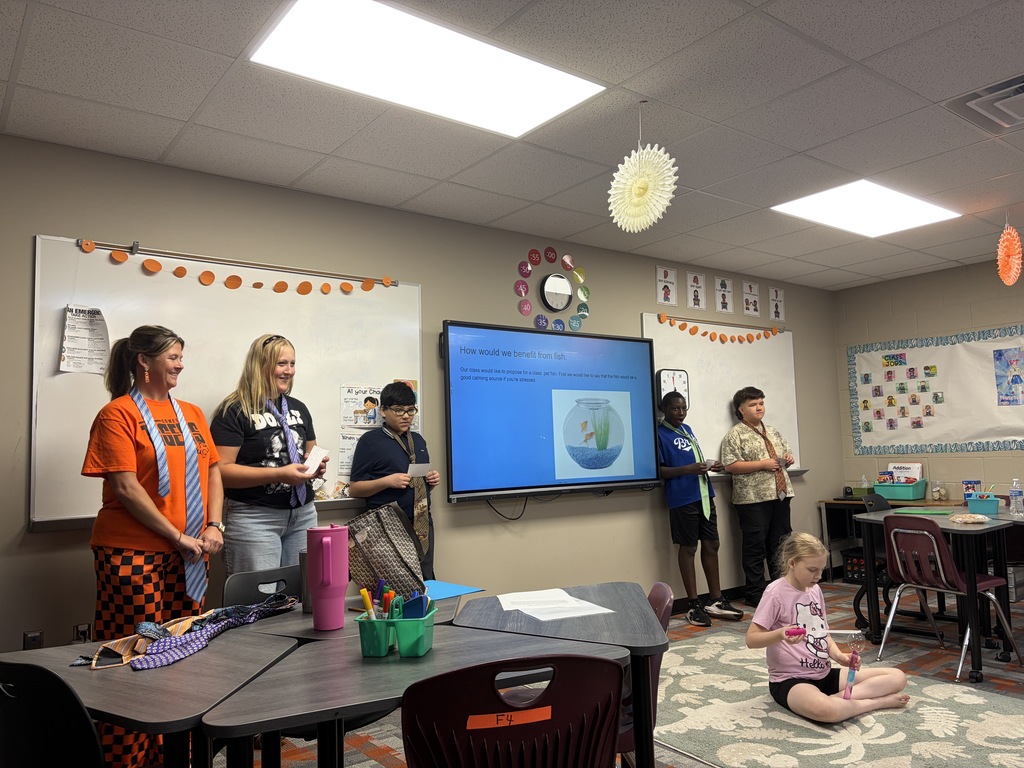
🐟✨ Future Scientists, Mathematicians, Writers, and Leaders in Mrs. Gray’s Class at Sloat JH! ✨🐟
Students in Mrs. Gray’s class recently presented an outstanding proposal for adding a class pet fish, and they did an amazing job supporting their idea with thoughtful reasoning and real-world learning connections!
The students explained that a class fish could:
✅ Provide a calming presence for students who may be feeling stressed
✅ Teach responsibility through daily care, feeding, and water maintenance
✅ Support science learning by exploring ecosystems and animal habitats
✅ Strengthen social studies skills through democratic voting and decision-making
✅ Enhance writing skills by creating and discussing writing prompts
✅ Reinforce math concepts through budgeting, costs, and financial planning
We were incredibly impressed by the students' research, teamwork, critical thinking, and presentation skills. Their proposal showed creativity, responsibility, and a strong understanding of how classroom experiences can connect to learning across multiple subjects.
We are proud of the way you advocated for your idea and demonstrated what real-world learning looks like in action!
Great job, Mrs. Gray's class! We look forward to meeting your new class mascot!

🍕 **Raise Some Dough for Coweta Project Graduation!**
Make Monday, **September 28th** a Papa Johns day! Use promo code **DOUGH** when ordering from the participating Broken Arrow location and **20% of your order will be donated to Coweta Project Graduation **.
📍 24192 E. Highway 51, Broken Arrow
📞 (918) 505-1040
🏷️ Promo Code: **DOUGH**
Grab some pizza and support our students at the same time! 🍕🎓
#CowetaDNA


Mass Notification Test
This is a test of the Coweta Public Schools mass notification system.
We are testing our communication systems to ensure we can reach families when it matters. You may receive this test through phone call, text message, email, and/or the CowetaPS App.
This is only a test. No action is required.
Thank you for helping us ensure our communication systems are working properly.
This is a test of the Coweta Public Schools mass notification system.
We are testing our communication systems to ensure we can reach families when it matters. You may receive this test through phone call, text message, email, and/or the CowetaPS App.
This is only a test. No action is required.
Thank you for helping us ensure our communication systems are working properly.
📣🧡🖤Our Varsity Cheerleaders are getting ready to hit the mat for their first competition of the season and we want our COWETA COMMUNITY to come out to support them.
Especially WEDNESDAY THE 16TH because they’re performing RIGHT HERE AT HOME!! 🖤🧡
📣 WED SEPT. 16 — SHOWCASE
⏰ 7 PM | 📍 JH GYM
Varsity Cheer OSSAA 5A State Qualifier
📣 Sept. 19 — | 3:00 PM | Stroud HS
Come out and cheer loud!
📣 Sept. 26 — Performance State | TBD | SNU
LET’S PACK THAT GYM WEDNESDAY & SATURDAY!!! LET’S GO TIGERS!!!

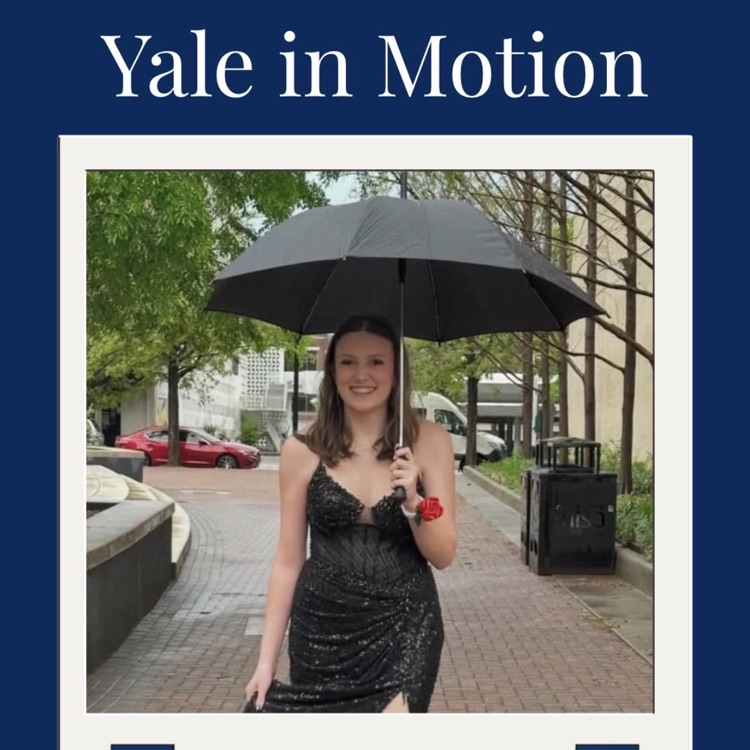
Congrats to Bebe Sargent! She has been invited to attend Yale in Motion, one of only 75 students nationwide selected.
A huge accomplishment for her — and for the teachers who have poured into her and inspired her to reach new heights.
#CowetaDNA
Allways Remember!

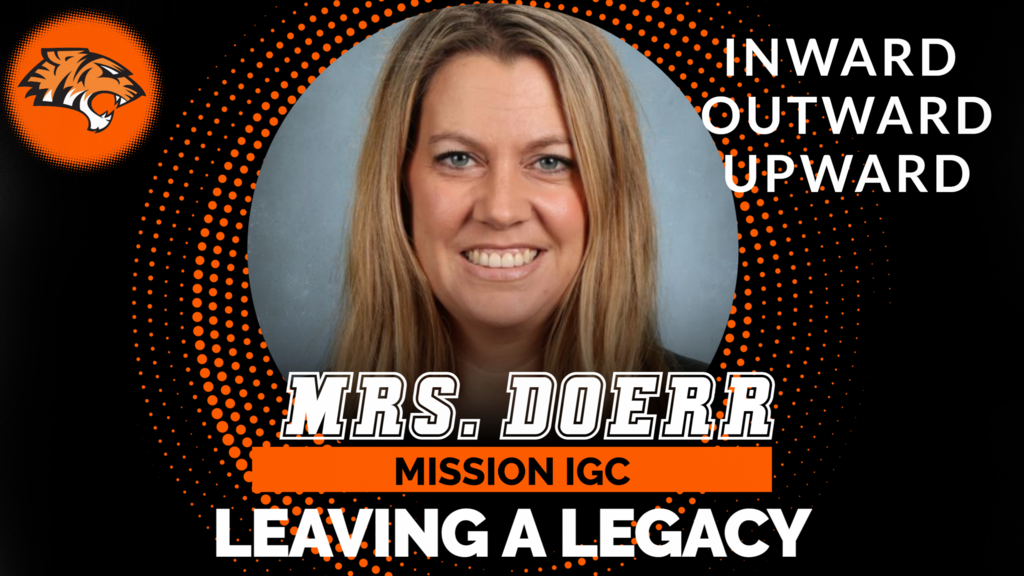
🌟 Teacher Spotlight: Mrs. Doerr 🌟
Mrs. Doerr is committed to making our school district the very best it can be. She is never afraid to step up, speak out, and advocate for positive change when it means creating better opportunities for students and staff.
Her dedication extends far beyond her own classroom. Mrs. Doerr inspires those around her to grow, think differently, and strive for excellence in all they do. Through her leadership, passion, and commitment to continuous improvement, she is helping shape a stronger future for our schools and the students we serve.
Thank you, Mrs. Doerr, for your courage, leadership, and unwavering dedication to making a difference every day! 🍎✨
#InwardOutwardUpward
Mrs. Doerr is committed to making our school district the very best it can be. She is never afraid to step up, speak out, and advocate for positive change when it means creating better opportunities for students and staff.
Her dedication extends far beyond her own classroom. Mrs. Doerr inspires those around her to grow, think differently, and strive for excellence in all they do. Through her leadership, passion, and commitment to continuous improvement, she is helping shape a stronger future for our schools and the students we serve.
Thank you, Mrs. Doerr, for your courage, leadership, and unwavering dedication to making a difference every day! 🍎✨
#InwardOutwardUpward